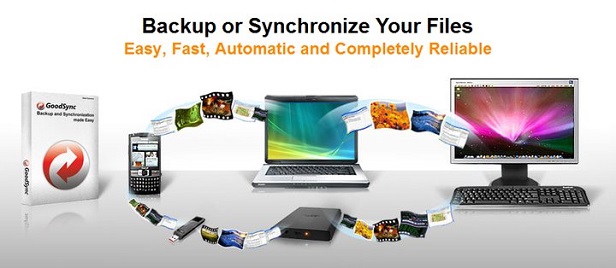
GoodSync is a file synchronization and backup program. Synchronizing files between two directories is its main use. This can include between a storage device (such as a flash drive, another computer, a smartphone, or a removable disc) and a computer, between a remote server or computer and another computer, or on a single computer.
I had heard great things about GoodSync, so I decided to take it for a test drive for a few months. Below is my honest assessment of it.
About GoodSync
GoodSync is a product of Siber Systems, which is a privately held company based in Fairfax, Virginia with offices in Russia and Japan. Their mission is to make computer use faster, more secure, and easier for enterprises and individuals across the globe by creating top of the line innovative software products.
They were founded in 1998 to design useful commercial technologies from scientific findings in the areas of compilation, transformation, and text parsing. Their first consumer product and perhaps most popular offering is RoboForm. It currently has millions of active users all over the planet and has been translated into more than 30 different languages.
In 2006, Siber Systems released GoodSync, their latest product. Both the press and users have flooded the Internet with favorable reviews of this backup and file synchronization solution. Baron’s, the New York Times, Financial Times, Morningstar, and the Wall Street Journal are among the media outlets that have given positive reviews of Siber Systems’ software.

Top Features of GoodSync
The list of key features of GoodSync software is about a mile long. Consequently, I can only go over a few of them here. For a comprehensive list of features, visit GoodSync.com.
- Verify File Copying by MD5 – GoodSync can compare entire file bodies or compare files by their MD5 checksum to ensure correct copying.
- Folder and File Move / Rename Detection – GoodSync executes folder and file renames that it detects as move commands.
- Real Time and User Initiated Syncs – Changes are analyzed, the changes are then reviewed by the user, and sync approval commits to the changes with the user initiated sync. Any changes to files are synced after a custom delay or immediately with real time sync.
- Easy Backup Solution Provided by One Way Synchronization – You get a simple and dependable backup solution with the easy to set up one way synchronization.
- Include and Exclude Filters with Selective Syncing – Based on size, mod time, and name pattern, files can be excluded from synchronization.
- Parallel Threads – To achieve faster file transfer speeds, you can run sync working in parallel in several threads.
- Block Level Delta Copy – Transferred speeds can also be greatly improved by GoodSync only sending over changed blocks of big files. For this to work, you must use GoodSync Connect P2P.
- You Can Choose to Propagate Deletions – Even through a chain of syncs, GoodSync can propagate your deletions. Or, for one way backup jobs, you can choose to have deletion propagation turned off.
- True Bidirectional Synchronization – GoodSync can automatically detect and synchronize deletion, creation, and all other changes made by the user to subfolders, files, and folders.
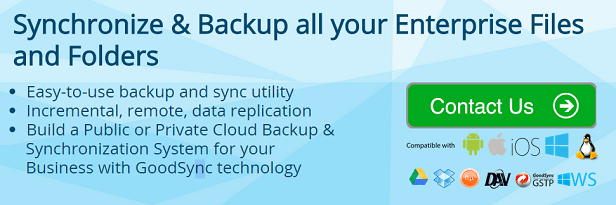
- Sync Destinations to Cloud Server Folders – These include WebDAV, OneDrive (SkyDrive), FTP, Amazon S3, Windows Azure, SFTP (SSH), Google Drive (Docs), and Dropbox.
- Embedded Jobs Handled – A single folder and its subfolders can be part of more than a single sync job. Some of these jobs sync folders below or above the folder. For example, you can sync folder C:\business, sync folder C:\business\job, and file state changes registered in one job will be accounted for in the other.
- Multiple Device Chain Synchronization – You can transfer changes made by GoodSync to other devices or computers. For example, by synchronizing Computer X to a USB disk then syncing the USB disk with Computer Y, you can synchronize files between Computers X and Y without connecting them.
- P2P between 2 Computers via GoodSync Connect – Without using intermediate servers that store your files, GoodSync connect allows users to obtain a direct, P2P style connect for 2 computers. All you need to do is use the software to create a GoodSync Connect account, make sure GoodSync is installed on the computers you want to sync, and use the account to connect.
GoodSync Prices
With GoodSync, you essentially have two plans: Free and Pro. The Free Plan is ideal for users who do not have that many important files they want to protect, or they just want to take GoodSync for a test drive to see if it is right for their purposes.
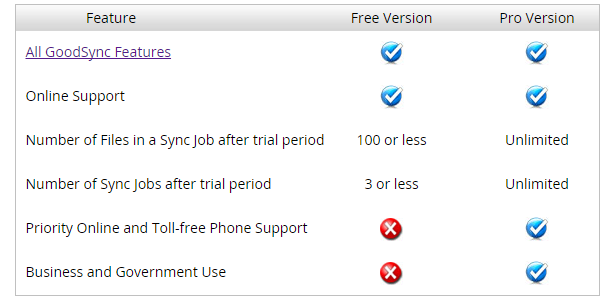
With the Free version, you get
- All of the GoodSync features mentioned above (and more)
- Online Support
- 100 or fewer files allowed per a sync job after the 30 day trial period
- Three or fewer sync jobs after the trial period
And, of course, the Free Plan costs you nothing.
The Pro version has all of the same features as the Free Plan, except you get unlimited sync jobs and files allowed per a sync job. Plus, you get government and business usage rights and priority toll free phone and online support.
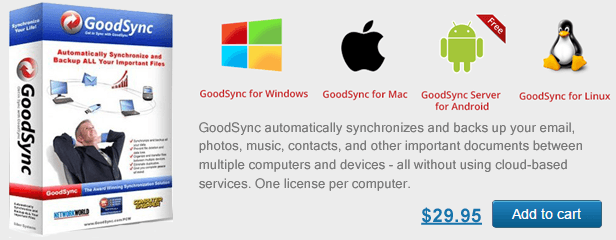
Pro costs $29.95 for the desktop version for one computer. GoodSync2Go, which allows you to automatically backup all of your critical files and sync files between many devices and computers from your portable hard drive or USB flash drive, only costs $39.95 for one USB.
Criticism of GoodSync
I had a really great experience using GoodSync, so it was difficult for me to figure out what the software’s downfalls were. If I had to point to something, it would be that the user interface was a bit crowded and confusing. Since there are so many tools for you to use, there is a lot of useful information available on the interface. It could be organized better.
While doing research for this review, a lot of Amazon S3 users found that it was annoying how GoodSync did not tell them how much data was being stored and transmitted. This is an important factor for those users since Amazon S3 charges based on how much data is transmitted and stored.
There were also complaints about how complex the file analysis can be depending on the rules used. You may have to do some experimentation and reading to understand it. However, once you get over the learning curve, it works just the way you want it to.
Customer Support
GoodSync provides a broad range of support options. You can learn advanced features and understand how the software works with the manual that is available. There is also an all-inclusive Frequently Asked Questions section. Finally, there is online support available to all users and toll free phone support for paying customers. Phone support is available 9am to 7pm Eastern Time Monday through Friday.
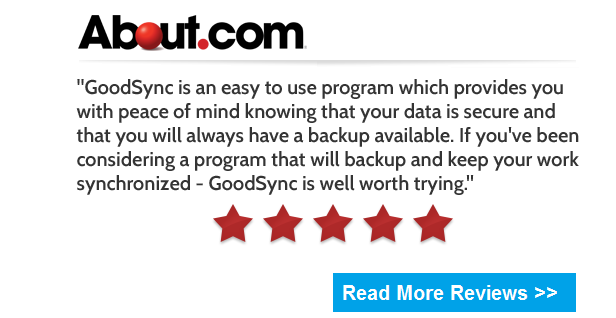
To see if the customer support was really all it was cracked up to be, I decided to give them a call right before closing on Friday evening. In my past experiences, I’ve found that a lot of businesses will turn off their phones early. This was not the case with GoodSync. They were very happy to help me and were able to point me to resources for additional information.
Conclusion
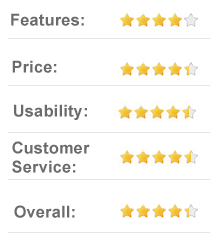
In the past, I had a rough time trying to find a good way to backup all of my files from my server’s data drive to an external USB drive. Most of the other tools I tried were extremely slow or had a limit on the number of files I could backup. GoodSync solved these problems. I strongly recommend it for anyone who has files they want to protect.