Wrike enables its users to prioritize tasks, control projects, collaborate with others in multifunctional teams to get things done, and keep an eye on deadlines and schedules. Currently, the application is available in Japanese, Portuguese, Spanish, English, Russian, Italian, German, and French.
I have a lot of experience collaborating with colleagues around the world on various projects. So, I have used my fair share of project management software. I was excited to try out Wrike because I had heard a lot of good things about it. Below, I will tell you a little bit about Wrike and what my personal experience was with it.

About Wrike
From his need for an agile tool to manage projects, departments, and offices, the idea for Wrike came to founder Andrew Filev in 2004. Wrike was developed with a focus on integration with email, since at the time, the main way to collaborate with associates on tasks in small and medium businesses was email.
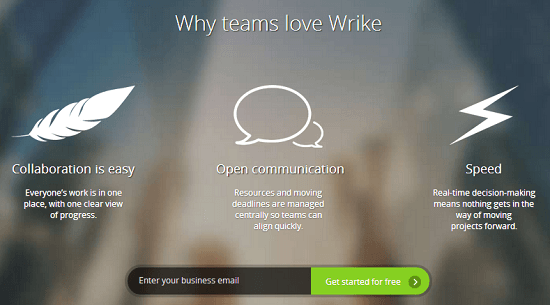
Over the years, Wrike has stayed ahead of the curve with its added features. By 2010, Wrike had integrated with Google Docs and had released a social version that brought in social networking features. These days, they list more than 400 Fortune 1000 companies among their customers.
Wrike’s goal is to make day to day work more transparent, efficient, and simple for businesses by providing a real time platform that blends collaboration and work management. When you work in a group, there are almost always resources that are in a variety of different apps. This makes it hard to see which tasks are complete and who is doing what.
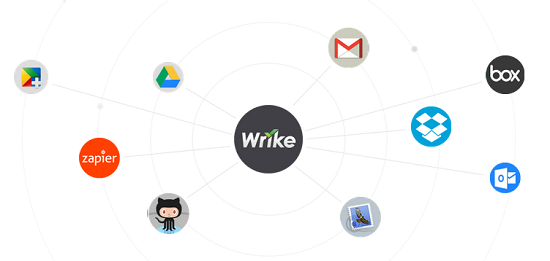
Wrike essentially syncs up all of the applications, such as Dropbox, email, Box, Google Apps, and others, to make it easier to work as a team with people in the same office or throughout the world.
Top Features of Wrike
There simply is not enough room in this review to list all of Wrike’s features, so I am going to focus on the ones I enjoyed the most:
- Email Integration – By simply forwarding your important emails to wrike@wrike.com, Wrike reminds you of when deadlines are approaching by saving them as tasks. Plus, you can discuss your tasks and update their status from your email.
- Online Document Collaboration – With Wrike, you no longer have to worry about finding the right version of a document. All files related to a particular task are connected in one place. Without the need for downloading, your team can edit documents online, and right away, you will see the most recent version.
- Selective Data Access – At the subproject, project, and task levels, you can share data. All in one workplace, you can collaborate with multiple partners, contractors, and teams.
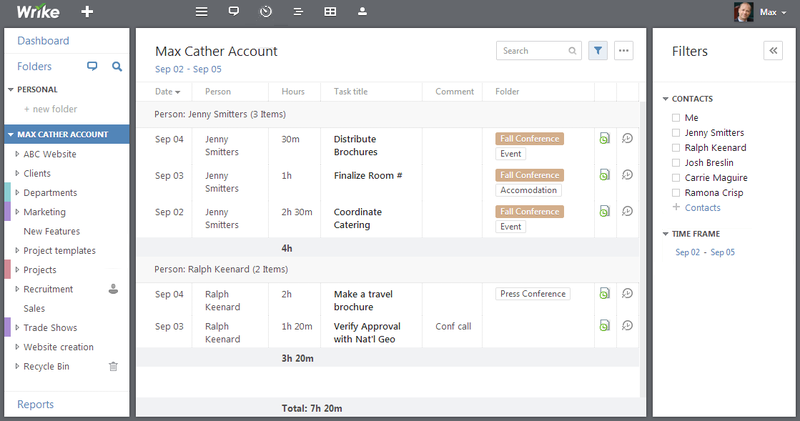
- Time Tracking – At any given moment, you can create time reports for a group of tasks or track the time spent on a particular task.
- Customized Reports – Across several projects, you can run real time reports for your team using Wrike’s advanced filters. And, if you want to have access to specific reports, you can just save them to the dashboard.
- Plan Adjustment – Wrike makes it simple to constantly keep your plans visible to the whole team and accurate. With just a couple clicks on an interactive Gantt chart, you can view a complete project overview, create task dependencies, zoom into details, or add milestones. .
- Real Time Updates – Just like you might see on Facebook, you can see project updates live on an Activity Stream in Wrike. You can join discussions on important tasks immediately after filtering updates by project.
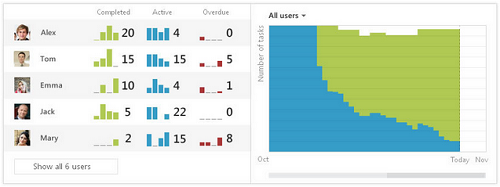
- Workload Management – This feature allows you to instantly adjust your team’s workload based on how busy they are. This tool puts Excel to shame.
Wrike Prices
There are three different levels of plans with Wrike:
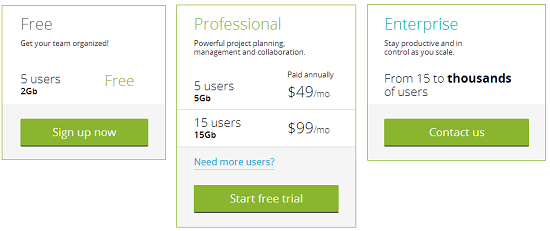
Free/Freemium Plan – As the name suggests, this is free. You get a maximum of five users plus unlimited collaborators. You also get two gigabytes of storage space and two hierarchy of project levels. Included in Freemium is basic customer support, advanced email integration, recurrent tasks, task prioritization, Android and iPhone apps, table view, real time activity stream, file sharing, and discussion in tasks.
Professional Plan – The professional plan has four different levels. For $49 per month, you get five users and five GB of storage. For $99 a month, you get fifteen users and fifteen GB. 25 users and 50 GB is $129 per month. And, 50 users and 100 GB storage space is $199 per month. The Professional Plan builds upon the Freemium Plan by adding unlimited project levels, Gantt chart, workload view, time tracking, reports, integration with just about any app, and a variety of other features.
Enterprise Plan – This plan is for the medium to large businesses, since it can accommodate fifteen users or thousands of users and everything in between. In addition to the Professional Plan features, you get folder permissions, custom calendars, progress reports, 24/7 customer support, branded email notifications, extended security controls, and user groups. For pricing, you need to contact Wrike directly.
Criticism of Wrike
The biggest issue I had with Wrike was the learning curve. It requires some thought to figure out the best way to structure your projects, since Wrike was built for maximum versatility. This becomes a challenge without a full understanding of all of the features you have available to you. You may miss out on some of these features if you just dive right in and get to work.
Fortunately, there are a lot of videos you can watch that introduce you to all of the aspects of the software. There are also daily webinars if you need more training.

I visited discussion boards to find out what others were saying about Wrike, and for the most part, people only had positive things to say. There were some minor complaints from users who wanted a specific feature but claimed Wrike did not have it. I followed up and was able to find each feature. This gets back to the learning curve issue discussed above.
Customer Support
As mentioned above, there are a bunch of tutorials and webinars to get you started. There is also an extensive help section for all of the different aspects for each feature. There are communities on Google+, Facebook, YouTube, and Twitter. And, if you prefer old fashioned communication, there is phone support and email.
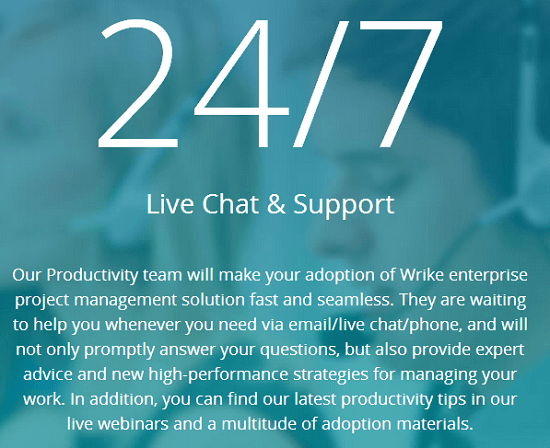
The tutorials and webinars are outstanding on their own. The help section is also comprehensive. I decided to test out the phone number on a Saturday. Now, since I did not spring for the Enterprise Plan, I did not have 24 hour per day, seven day a week customer support. However, I was still able to get a hold of someone, and they were very helpful. Now, I would not count on this happening for you. But, it might.
Final Thoughts
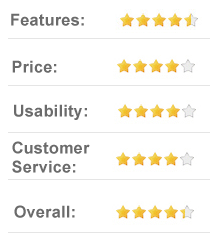
Wrike is the real deal. The features put other project management software to shame. This can make it a bit difficult to wrap your head around everything and use Wrike to its fullest, but they do give you an array of tools to bring you up to speed.
Essentially, Wrike is everything you could ever want out of project management software and more. I highly recommend it to anyone who needs to collaborate with others.