
Founded in Malta in 2003, UniBlue has since become the industry leader in PC maintenance and performance management software. Their various offerings optimize system settings, fix and clean your machine, update drivers, clean and defragment your hard disk, clean your registry, and customize Windows among much (much) else.
UniBlue is a useful tool for those looking to get the very best in performance out of their computers as possible. While most of their software is made for PC computers, they also offer software that is specially designed for use on OS X Mac systems.

Generally, software that claims to improve computer performance doesn’t really hold up to its stated mission. However, I was pleasantly surprised upon first using UniBlue, as it was immediately evident that this product actually works.
At the same time, it is important to understand, right from the get go, that keeping your computer in top condition can’t just be done by using UniBlue. You need to also have good computer habits and perform regular maintenance in addition to using this performance booster to get the absolute best from your computer.
Below is my in depth review of UniBlue.com and the many different types of software that they offer.

Top Products Offered By UniBlue
Visit UniBlue.com and the first thing you will notice is the wide variety of products that they offer. Each type of software has a different use. There is generally no reason to buy each product. You will only need the one that is right for you and that will help you fix your computer’s individual issues.
The top products from UniBlue include:
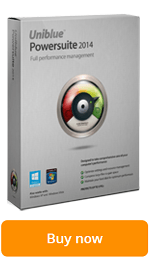
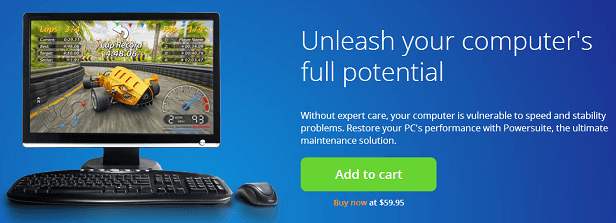
- Powersuite – UniBlue claims that their Powersuite software is “the ultimate performance solution.” The product monitors and maintains your PC so you don’t have to waste precious time on these tasks yourself. It is a quick and effective system that starts analyzing your computer as soon as it is installed. Running a full system scan when you first receive it is an excellent way to pinpoint areas of your computer that could use improvement.
Powersuite from UniBlue.com allows you to:
- Optimize settings and resource management
- Tweak for extra speed
- Manage for more efficiency
- Maintain hard disk
- Clean up junk files and old backups
- Compress large files for more space
- Organize files for better access speed
- Update drivers
- Provide latest driver updates
- Enhance hardware efficiency.
- SpeedUpMyPC – Another popular product offered by UniBlue is SpeedUpMyPC. This program scans your computer and then gives you a complete diagnosis of current performance. It also offers improvements so that you can fix these issues. SpeedUpMyPC is similar to Powersuite except that it focuses primarily on speeding up your computer.
SpeedUpMyPC from UniBlue.com allows you to:
- Scans your computer
- Identify slowdown issues that decrease speed
- Remove invalid registry entries
- Deactivates unused processes
- Use a wide range of powerful tools to optimize system
- Improve system responsiveness

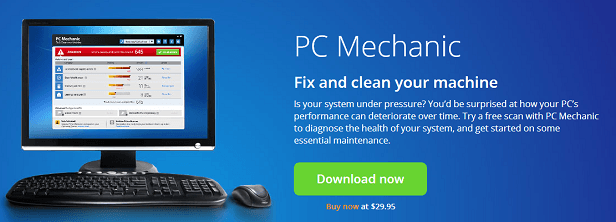
- PC Mechanic – The goal of UniBlue’s PC Mechanic is to fix and clean your machine by reducing clutter on your hard disk and regaining valuable disk space. You’ve probably noticed that the longer you have a PC, the more cluttered (and thus more slow) it becomes. PC Mechanic scans your computer, then deletes registry errors and obsolete files, to improve the overall speed and performance of your computer.
PC Mechanic from UniBlue.com allows you to:
- Reduce hard disk clutter
- Regain disk space
- Identify obsolete files and registry errors
- Prevents PC crashes and system instability
- SystemTweaker – SystemTweaker from UniBlue is another one of their software products that has been met with high acclaim. It is constructed to allow you the utmost in control of your Windows settings.
SystemTweaker from UniBlue.com allows you to:
- Adjust network settings
- Streamline menus to your personal preferences
- Increase security
- Boost functionality
- Customize right-click menus
- Access and customize detailed system information
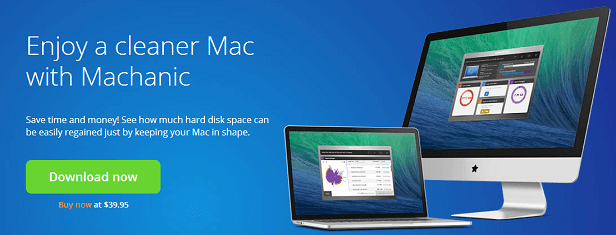
- Machanic – The software program known as Machanic is UniBlue’s answer to performance issues on Mac devices. Though Mac computers are known for their superior quality, this doesn’t mean they are free from an over accumulation of files and other performance issues. Machanic sets out to analyze these issues and provide simple solutions to free up hard disk space and get your Mac to run faster and more efficiently.
Machanic from UniBlue.com allows you to:
- Free up hard disk space
- Clean up junk and unneeded files
- Scan Mac and identify problem files
UniBlue Prices
Because UniBlue.com provides a wide variety of different products, there is no one set price for all of their offerings. Depending upon the software that you select, you will pay a different figure. However, it is worth noting that theirs is some of the most affordable and effective software of its kind that is available today.
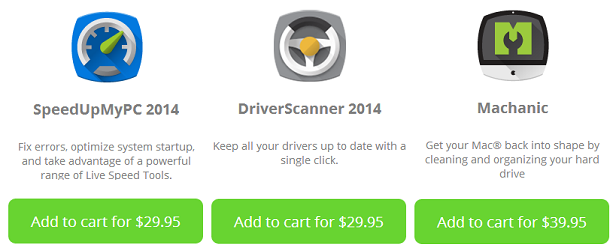
The UniBlue programs that were discussed above cost:
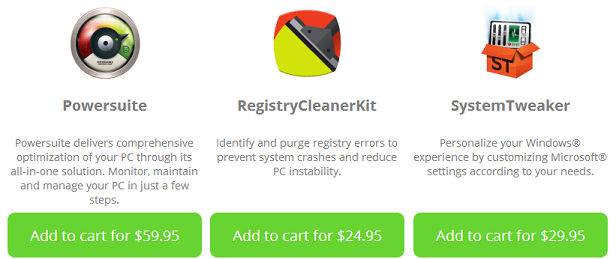
- Powersuite – As low as $59.95
- SpeedUpMyPC – As low as $29.95
- PC Mechanic – As low as $29.95
- SystemTweaker – As low as $29.95 (or free with a purchase of Powersuite for $59.95)
- Machanic – As low as $39.95
Excellent Customer Service
A hallmark of using UniBlue.com, at least for me, was their excellent customer service. Though all of their products are straightforward and intuitive to use, I had a few questions come up.
Fortunately, the entire customer service process was smooth sailing. First off, the UniBlue.com website is easy to navigate. It is put together in a very simple and functional manner (much like their products). I actually found most of the information I was looking for within a minute or two on the website alone.

UniBlue.com even has a special “support” page that helps you clear up any issues you might be having. Of particular help are their “quick start guides” and FAQ.
Though I found all of the information I was looking for on their support page, I wanted to test out UniBlue’s customer support phone line myself. I called and was easily connected with a representative who answered my questions in a knowledgeable and friendly way. Their email and chat support is also prompt and effective.
Final Thoughts on UniBlue.com

I have a hard time straight up recommending a product like UniBlue.com. Most of the problems that the service aims to fix are those that you can prevent with good computer habits and regular maintenance of your computer.
However, we all know how that goes. Even those of us that know enough about our machines to perform regular maintenance often let it slide until it builds up. And those that don’t know how to perform this regular maintenance often find that their computers are bogged down with minor issues that greatly affect speed. In these instances, I strongly recommend UniBlue.com.
Each of their products does what it claims to do – and does so well. Best of all, they are easy to use and affordable. UniBlue is not a service that takes a lot of input from yourself. Simply install (or download) and the software begins to analyze and improve your system’s performance.
If your computer is running much slower than it once was, there is a really good chance that UniBlue can help you get it back to where it needs to be.